How to Add ZK Thunder to Metamask
Mintlayer has just launched the ZK Thunder Network Layer 3 on Testnet, an innovative ZK rollup-based solution significantly enhancing scalability and interoperability within the Mintlayer ecosystem. Created in collaboration with the Carpediem team, ZK Thunder provides lightning-fast 1-second transaction speeds—far surpassing Mintlayer’s current 2-minute blocks—and is fully EVM-compatible, enabling developers to build advanced decentralized applications.
With the ZK Thunder Testnet now live, everyone is invited to participate in testing and exploring its capabilities. Below, we'll guide you through the simple steps to add ZK Thunder to your MetaMask wallet so you can start experimenting today.
Step-by-Step Guide:
Getting started with ZK Thunder on MetaMask is simple. Follow these steps to add it as a custom network:
1. Open MetaMask, click the network selector at the top left.
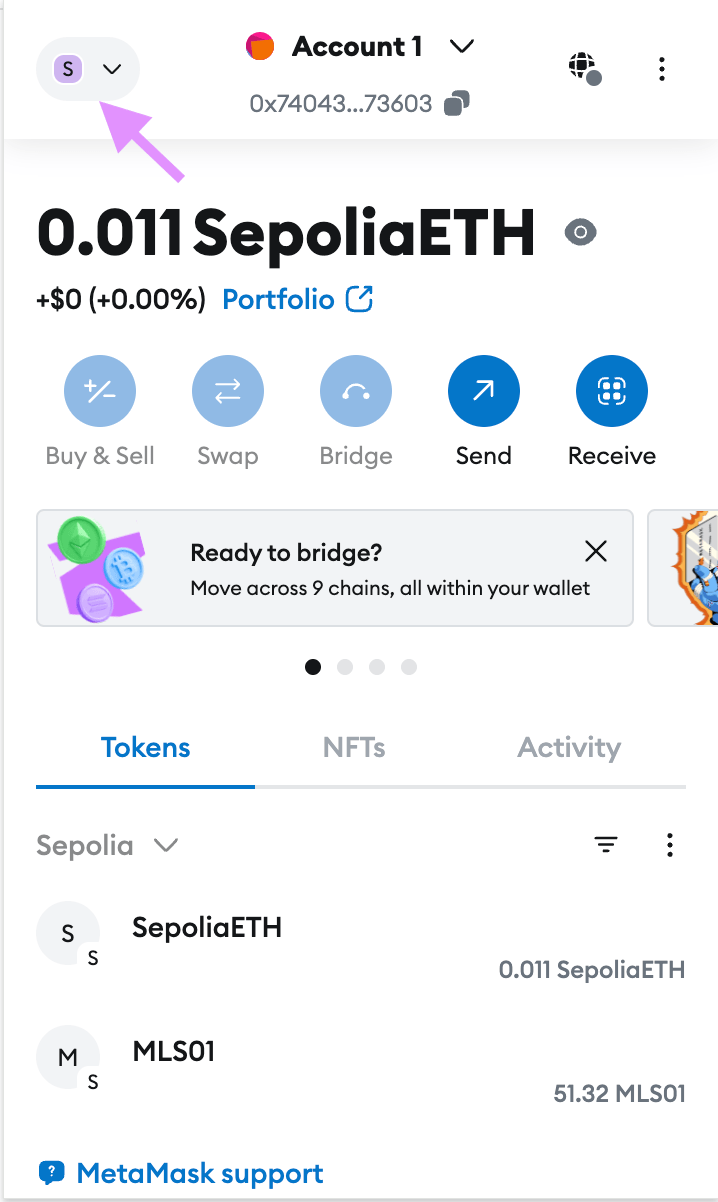
- Scroll down and toggle “Show test networks” to enable testnet visibility.
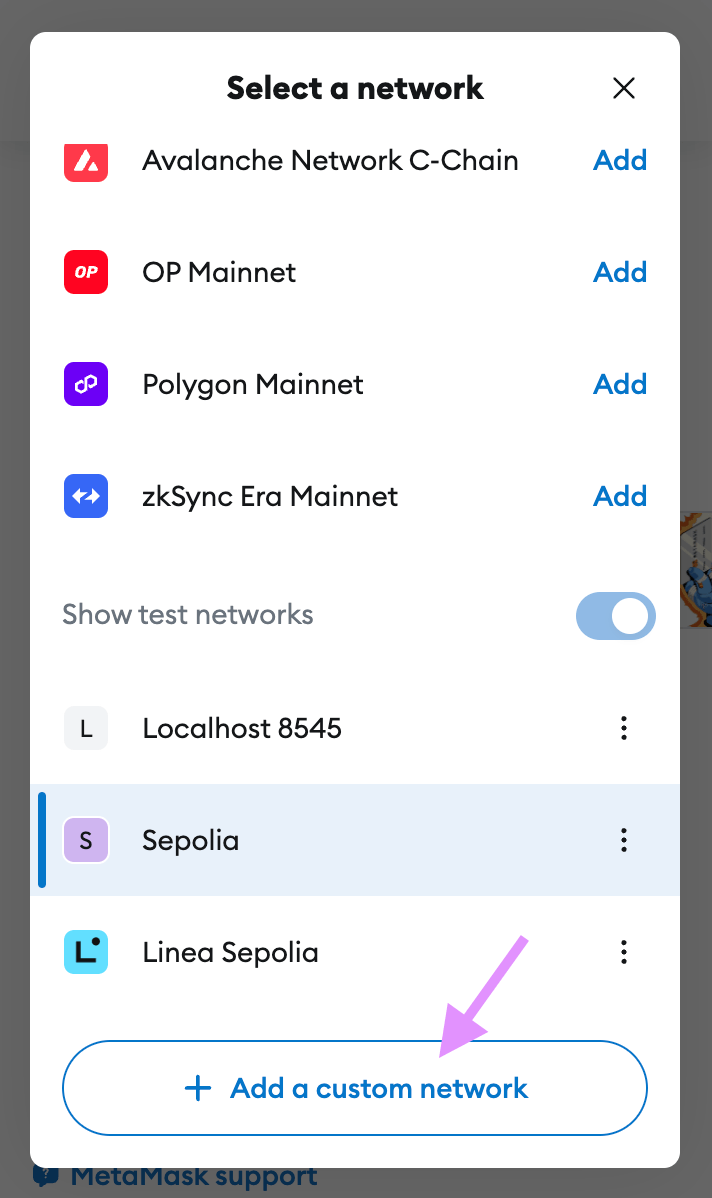
- Click “+ Add a custom network” and enter the following details:
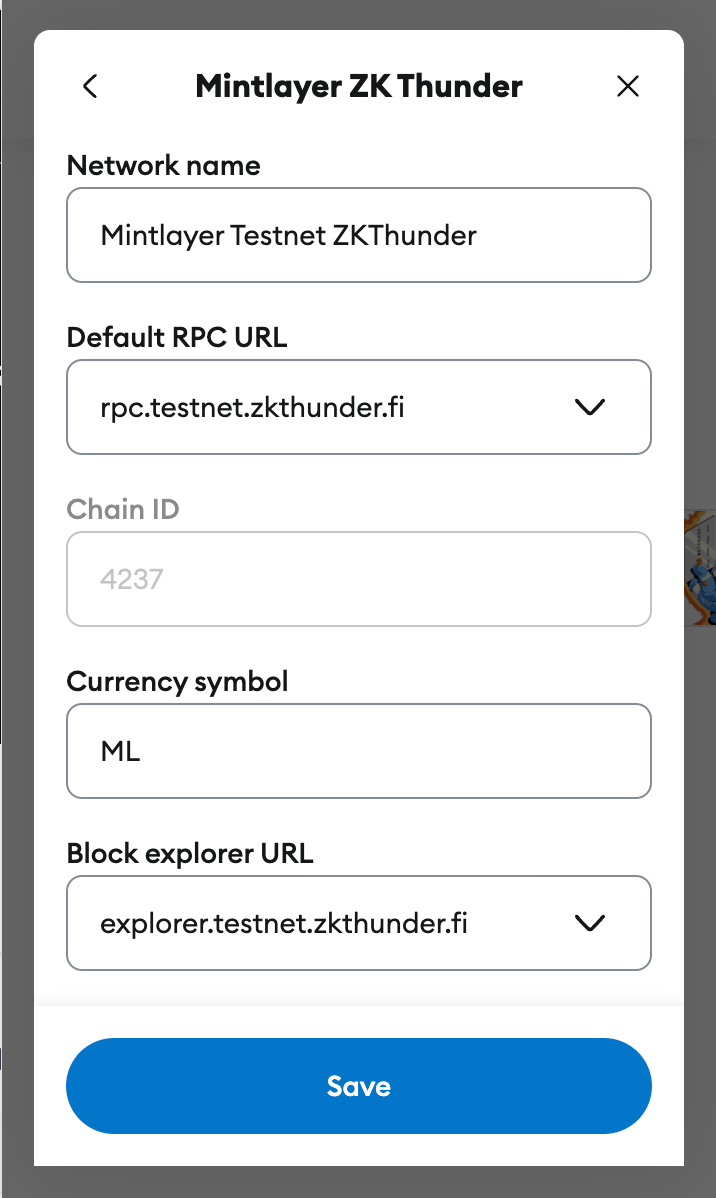
- Network Name: Mintlayer Testnet ZKThunder
- RPC URL: https://rpc.testnet.zkthunder.fi/
- Chain ID: 4237
- Currency Symbol: ML
- Block explorer URL: explorer.testnet.zkthunder.fi
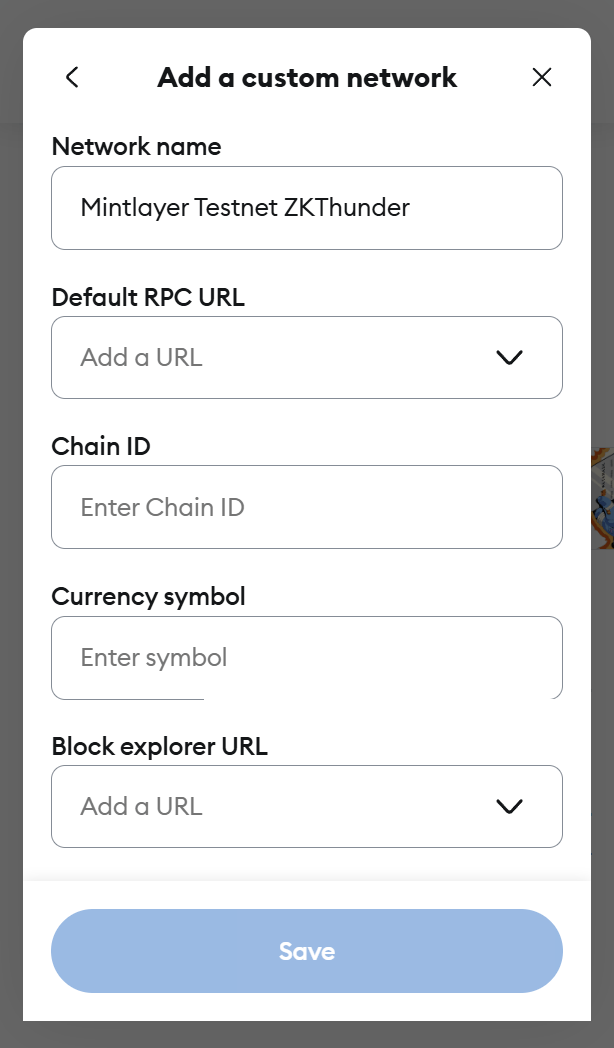
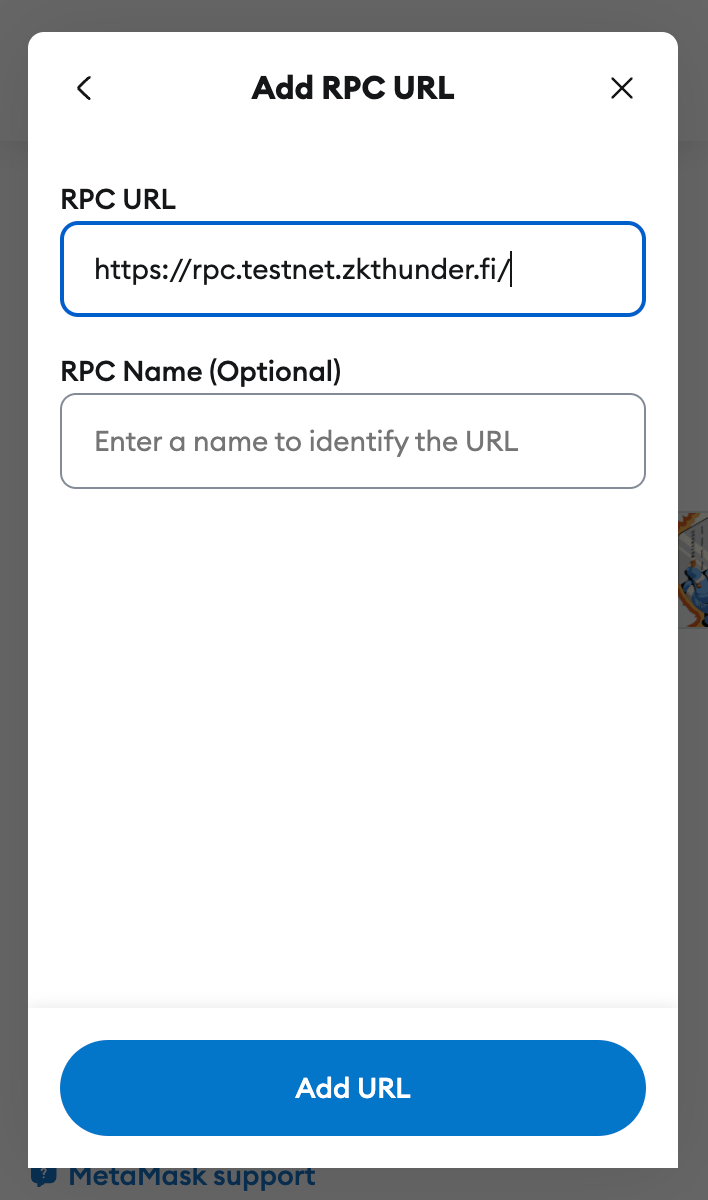
- Click "Save" at the bottom of the screen
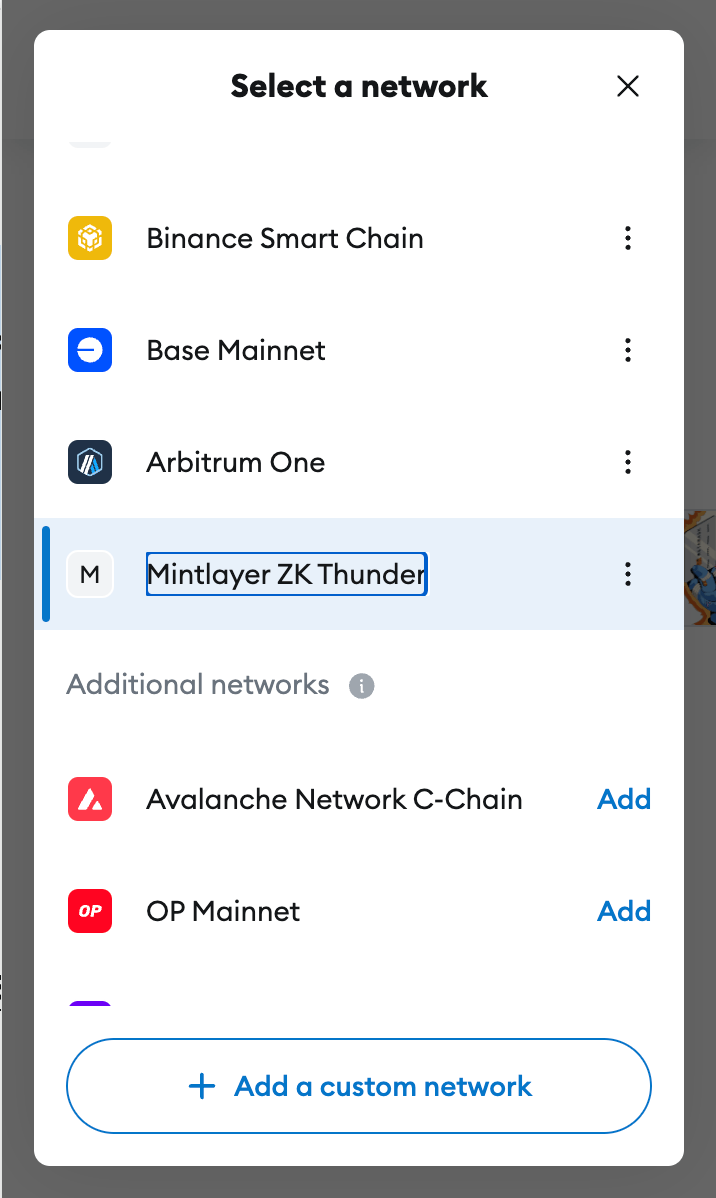
5. You can now select the "Mintlayer ZK Thunder" network by clicking on the network selector at the top of MetaMask. Then by selecting “Mintlayer ZK Thunder” from the list of choices.
6. To test transactions, you'll need some Testnet ML tokens. Click "Receive" in MetaMask.
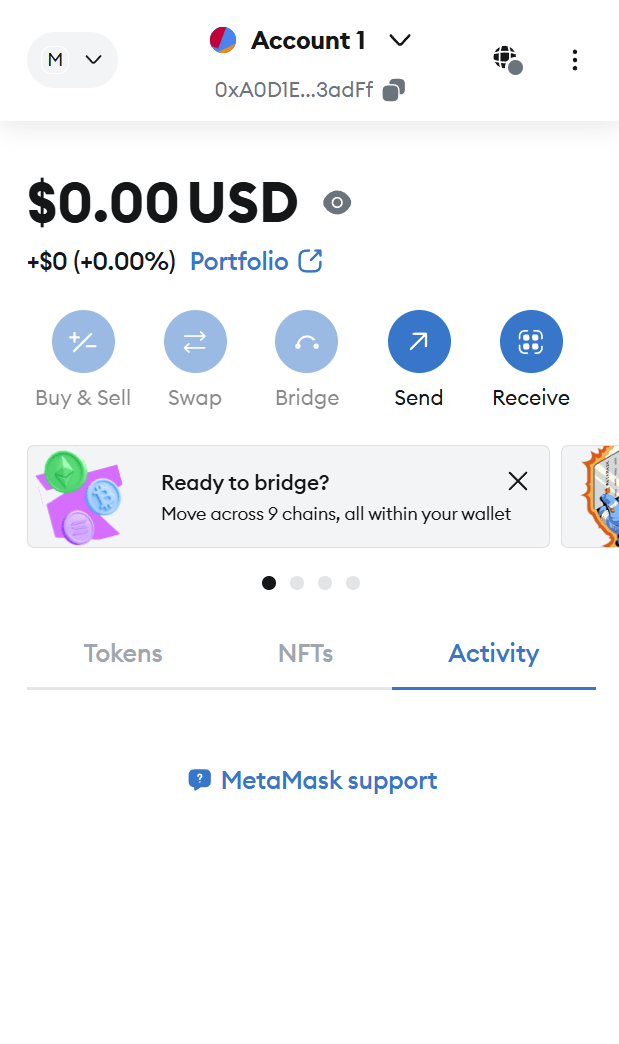
7. Your receiving address will appear. Click the "Copy address" button.
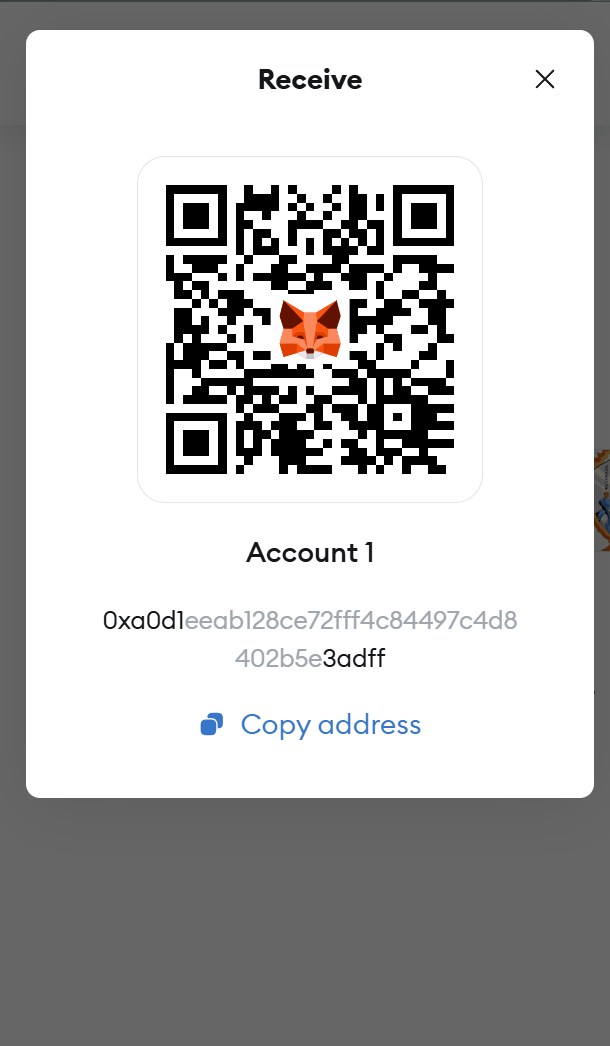
8. Visit the ZK Thunder Faucet: https://faucet.zkthunder.fi/
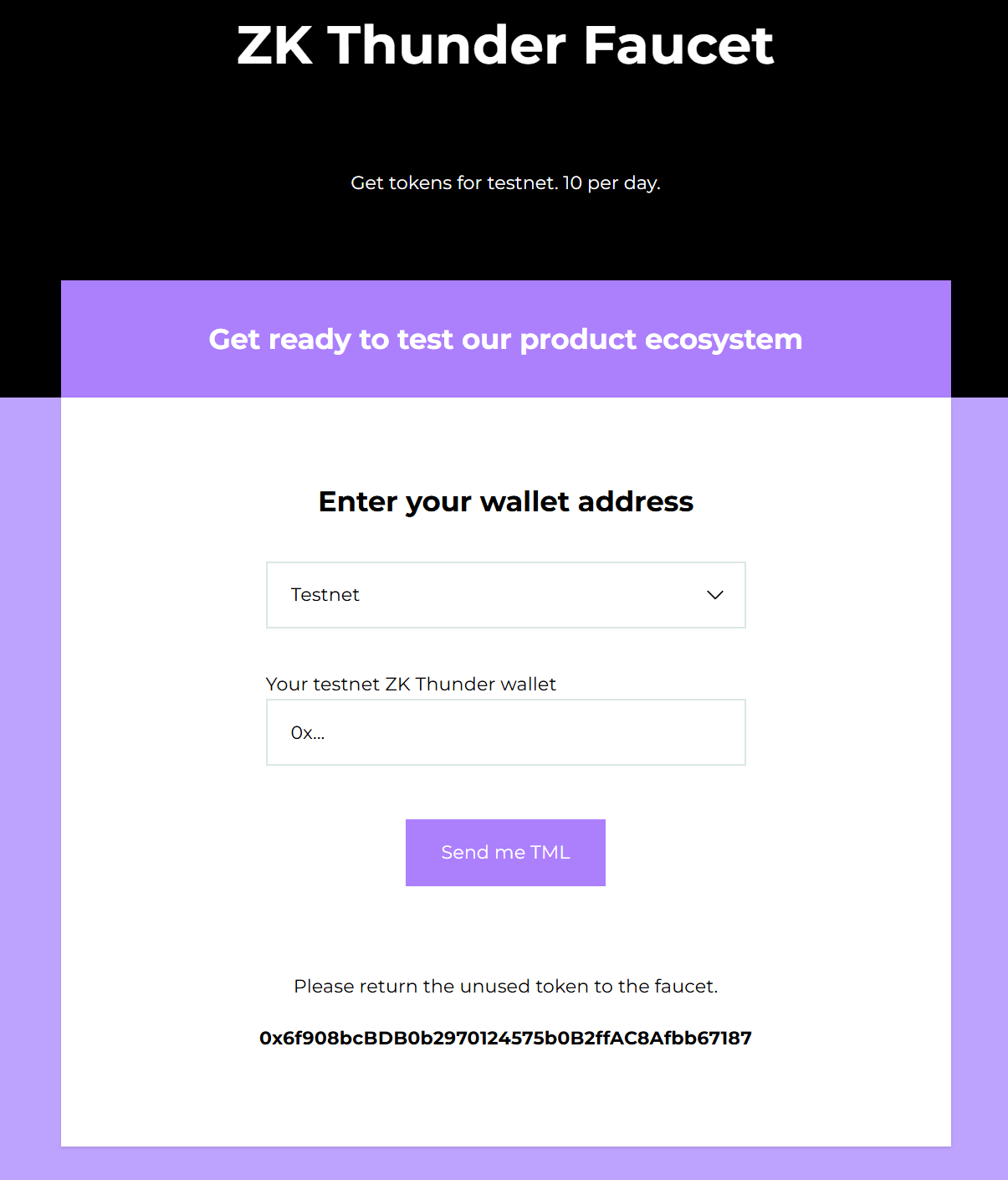
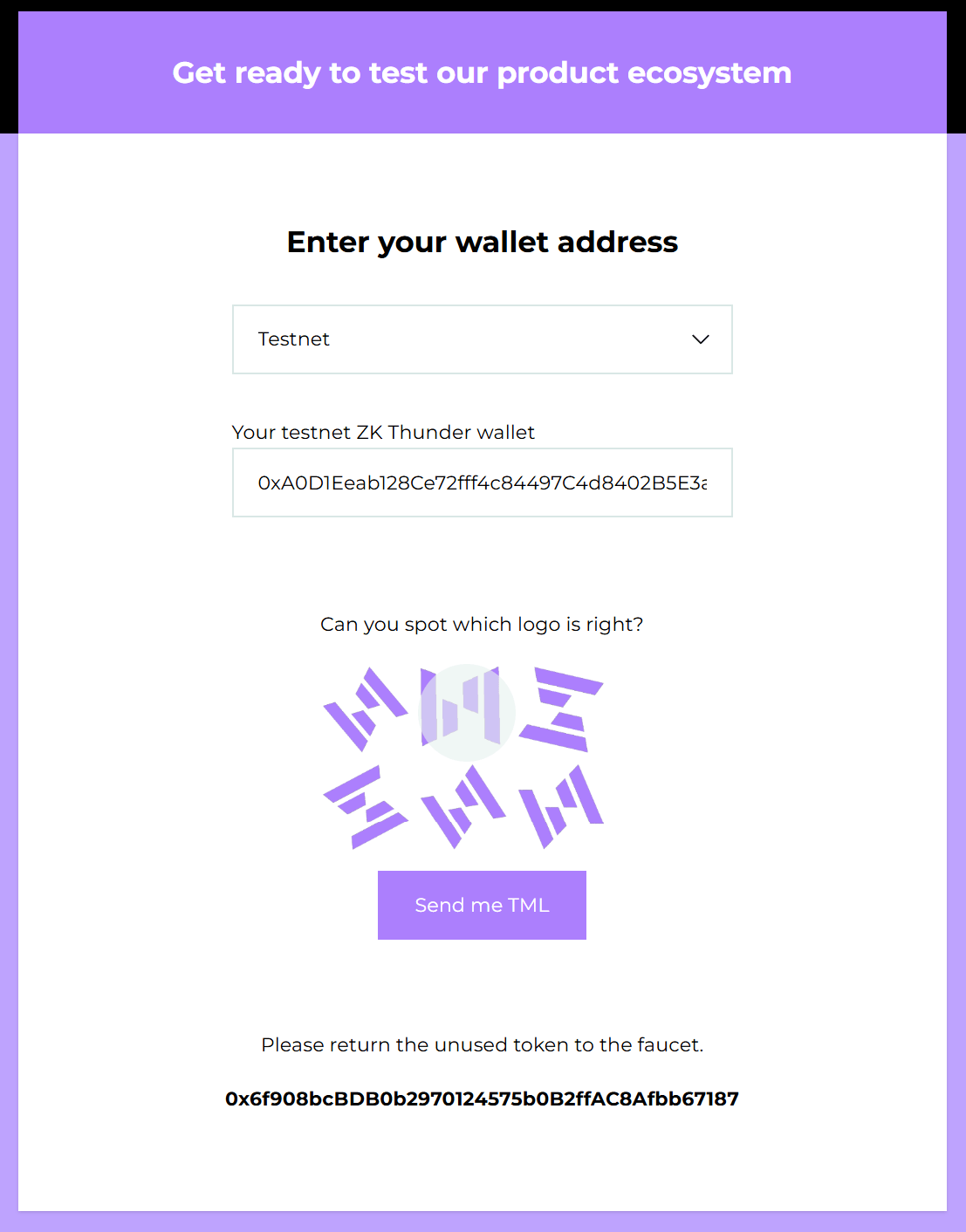
9. Paste your Testnet ZK Thunder wallet address into the provided space, then click the "Send me TML" button.
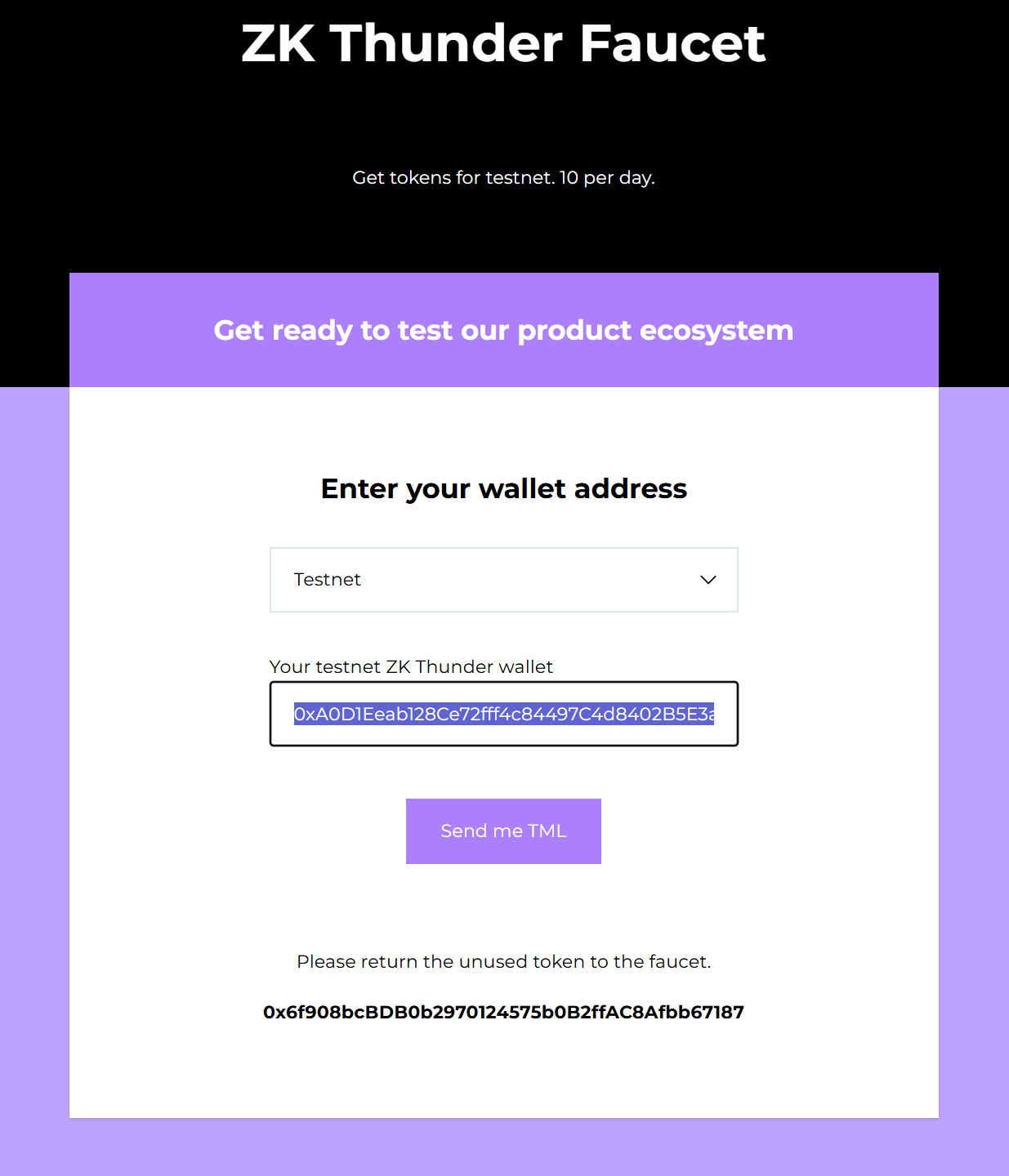
10. Next, you'll need to select the correctly oriented Mintlayer ZK Thunder logo from the displayed images. The correct logo orientation will match our official logo. After selecting it, click the "Send me TML" button again.
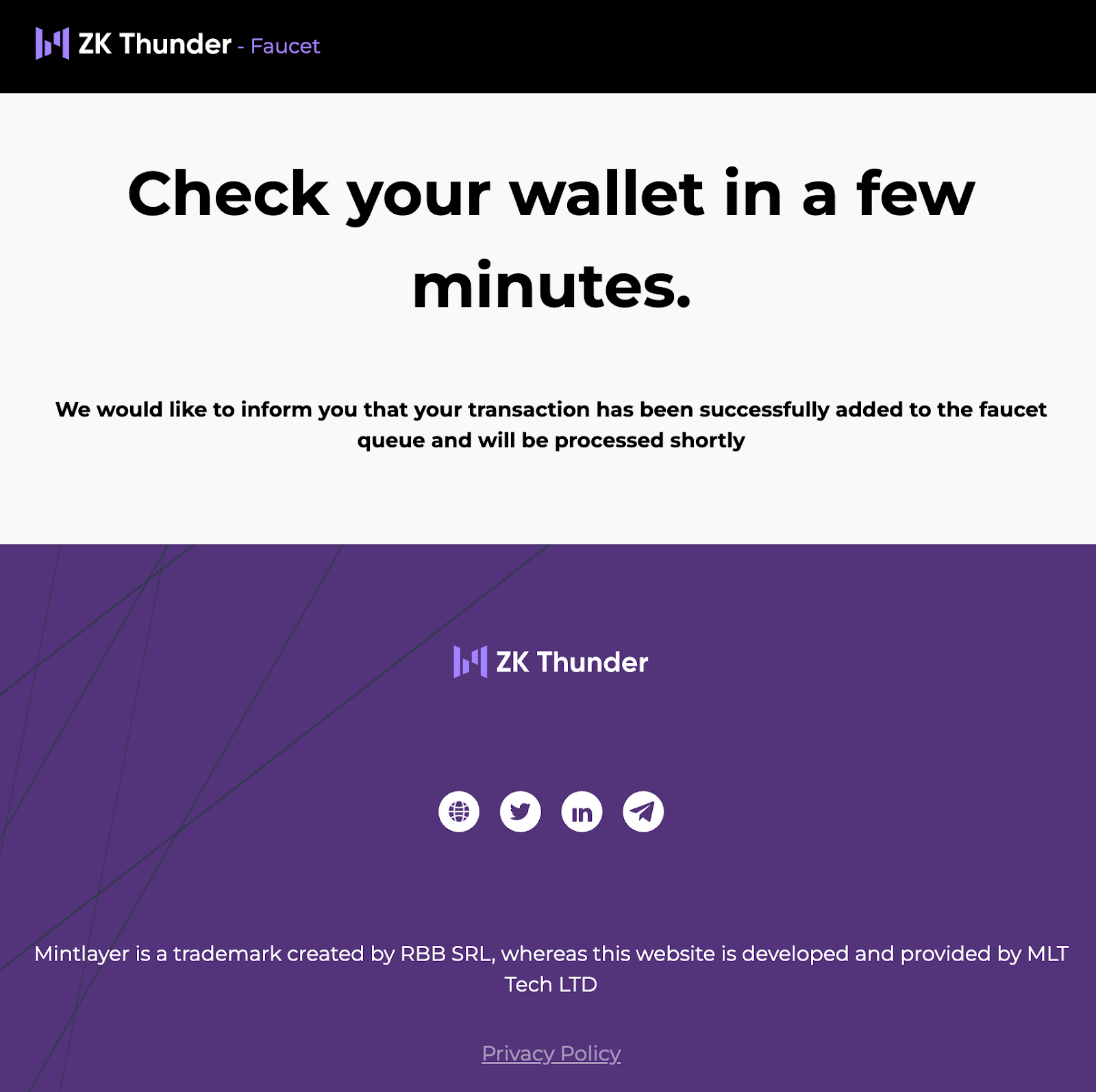
11. Wait a few minutes for the Testnet ML tokens (TML) to appear in your MetaMask wallet.
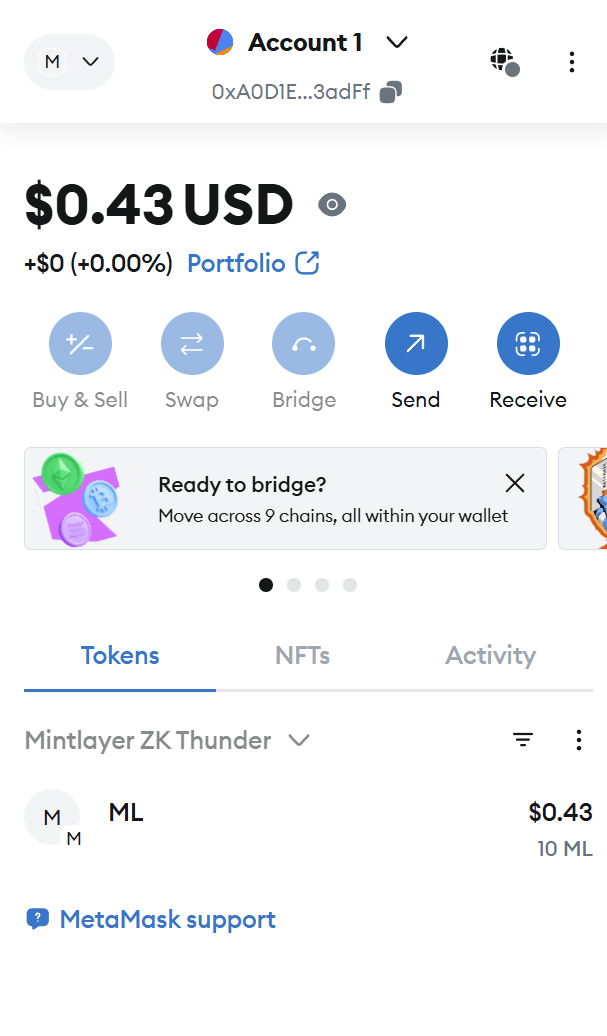
12. Check MetaMask; your TML tokens should now be visible. You can send and receive tokens just like any other network. To verify or review transactions, visit the ZK Thunder Block Explorer.
You're now ready to explore the full potential of Mintlayer's ZK Thunder Testnet right from your MetaMask wallet. This groundbreaking solution enhances speed, scalability, and interoperability, marking a significant milestone in Bitcoin DeFi. To learn more about ZK Thunder and stay updated on upcoming developments, visit the ZK Thunder official website.